
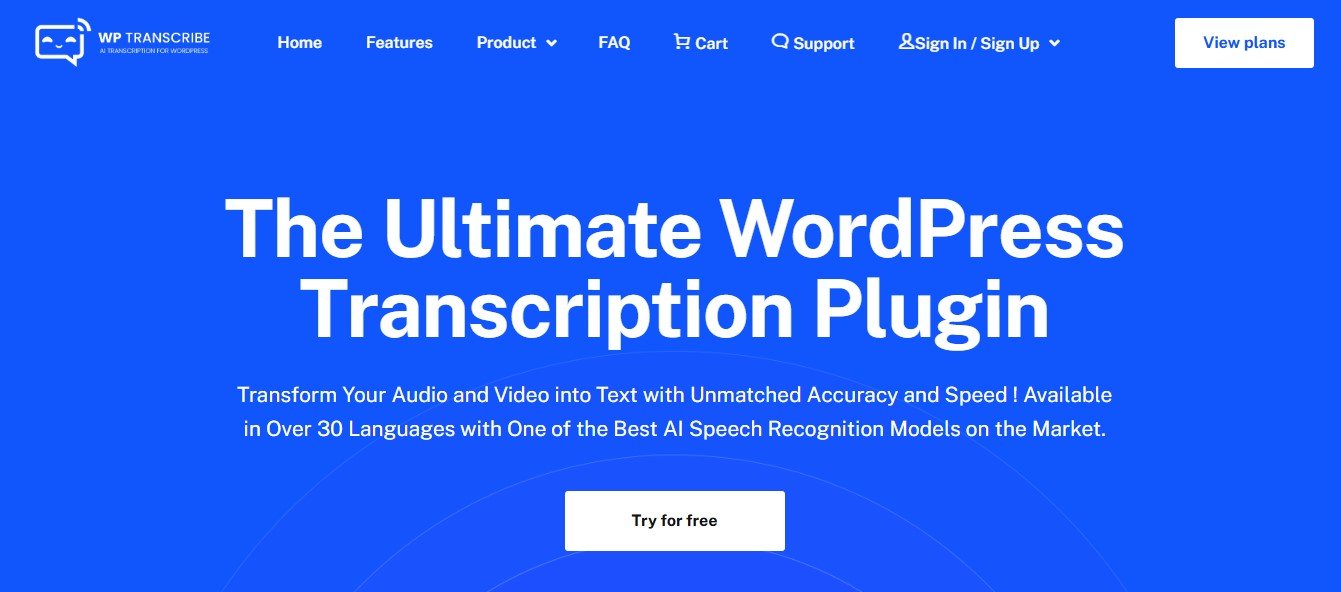
WP Transcribe AI is an AI-powered transcription plugin specifically designed for WordPress users. It integrates directly into your WordPress dashboard, enabling site owners to upload audio or video files and automatically generate accurate transcripts. These transcripts can be used to improve blog content, enhance accessibility, and optimize SEO performance.
With WP Transcribe AI, WordPress site owners can eliminate the need for third-party transcription tools, streamlining workflows and saving time while ensuring high-quality results.
Key Features of WP Transcribe AI
WP Transcribe AI offers a variety of features tailored to WordPress users who want to integrate transcription seamlessly into their content creation workflows. Here are its standout functionalities:
1. AI-Powered Transcription
Convert audio and video files into accurate text using advanced artificial intelligence, directly within your WordPress dashboard.
2. Automatic Integration with Posts and Pages
Insert transcriptions into blog posts, pages, or custom post types with just a few clicks, saving time and effort.
3. Multi-Language Support
Transcribe content in multiple languages to cater to a global audience and make your website multilingual.
4. Speaker Identification
Automatically identify and label different speakers in the transcript, perfect for podcasts, interviews, or panel discussions.
5. Time-Stamped Transcripts
Include time stamps in transcripts for audio or video navigation, particularly useful for podcasts or long-form content.
6. Customizable Output
Format transcriptions according to your website’s style or branding, ensuring a consistent look across your content.
7. SEO Optimization
Use transcripts to improve SEO by increasing keyword density and enhancing content discoverability for search engines.
8. Media Library Integration
Easily upload and transcribe audio and video files from WordPress’s native media library.
9. Secure and Private
Ensure data security with on-site processing or secure third-party integrations, making it suitable for sensitive content.
10. Real-Time or Batch Processing
Choose between real-time transcription for live uploads or batch processing for multiple files simultaneously.
11. Downloadable Transcripts
Allow users to download transcripts in popular formats like TXT, DOCX, or PDF directly from your website.
How Does WP Transcribe AI Work?
WP Transcribe AI is designed to be intuitive and user-friendly for WordPress site owners. Here’s how it works:
- Install the Plugin
Install WP Transcribe AI via the WordPress Plugin Repository or directly from your dashboard. - Upload Your Audio/Video
Upload an audio or video file via the WordPress Media Library or provide a URL for external content (e.g., YouTube). - Configure Settings
Select transcription preferences, such as speaker identification, time-stamping, and language. - Generate Transcription
Let the AI process the file and generate a transcript, which can be edited directly within the plugin interface. - Embed or Publish
Add the transcription to a blog post or page, or download the text for use elsewhere. - Optimize for SEO
Use the transcript to boost your website’s SEO performance by adding keywords and rich content to your posts.
Use Cases of WP Transcribe AI
WP Transcribe AI is a versatile tool for WordPress site owners, with applications across industries and content types. Here are some key use cases:
1. Podcast Transcriptions
- Generate transcripts for podcast episodes to improve accessibility and SEO while offering written versions for readers.
2. Video Content Accessibility
- Transcribe YouTube or Vimeo videos embedded on your site to provide captions or text for users who prefer to read.
3. Educational Websites
- Convert lectures, tutorials, or webinars into text to create supplementary study materials for students.
4. Blog Content Enhancement
- Use transcriptions to repurpose audio or video interviews, discussions, or Q&A sessions into blog posts or summaries.
5. SEO Optimization
- Increase keyword density and improve search engine rankings by including searchable text alongside multimedia content.
6. E-Learning and Training
- Transcribe training videos or e-learning modules for learners to reference as written guides.
7. Accessibility Compliance
- Make your content ADA-compliant by providing transcripts for audio and video content to support individuals with hearing impairments.
Pricing for WP Transcribe AI
At the time of writing, WP Transcribe AI’s specific pricing details are not publicly listed. However, plugins like this typically offer the following pricing structures:
- Free Plan: Limited features or transcription minutes to help users test the plugin.
- Monthly Subscription: Fixed pricing for regular users, offering a set amount of transcription minutes per month.
- Pay-As-You-Go: Pricing based on the volume of audio/video files transcribed, ideal for occasional users.
- Premium or Lifetime License: One-time payment options for full plugin access and unlimited transcription features.
To get the latest pricing information, visit the official WP Transcribe AI Pricing Page.
Strengths of WP Transcribe AI
- WordPress Integration: Built specifically for WordPress users, ensuring a smooth and seamless experience.
- Time-Saving Automation: Automates transcription and embeds results directly into posts or pages, reducing manual effort.
- SEO Benefits: Enhances content visibility by adding searchable text to multimedia posts.
- Multi-Language Support: Ideal for multilingual websites targeting a global audience.
- Accessibility-Friendly: Helps make your website more inclusive by providing transcripts for users with hearing impairments.
- Customizable Outputs: Easily format and edit transcripts to match your site’s design and branding.
Drawbacks of WP Transcribe AI
- Internet Dependency: Requires a stable internet connection for uploading files and processing transcriptions.
- Audio Quality Dependency: Poor-quality audio may result in errors, requiring manual corrections.
- Pricing Transparency: Lack of upfront pricing details might be a concern for potential users.
- Limited Platform Use: Designed exclusively for WordPress users, making it unsuitable for non-WordPress websites.
Comparison with Other Transcription Tools
WP Transcribe AI vs. Otter.ai
- Focus: WP Transcribe AI is purpose-built for WordPress integration, while Otter.ai focuses on general transcription and collaboration features.
- Integration: WP Transcribe AI works seamlessly with WordPress, while Otter.ai requires manual exports for WordPress use.
WP Transcribe AI vs. Rev
- Cost: WP Transcribe AI offers AI-powered transcription, making it more affordable than Rev’s human transcription services.
- WordPress Compatibility: WP Transcribe AI is tailored for WordPress users, whereas Rev requires external integration.
WP Transcribe AI vs. Descript
- Editing Tools: Descript combines transcription with advanced audio/video editing, while WP Transcribe AI focuses solely on WordPress transcription needs.
- Ease of Use: WP Transcribe AI provides a simpler, more streamlined interface for WordPress-specific workflows.
Customer Reviews and Testimonials
WordPress users who have implemented WP Transcribe AI praise its seamless integration, ease of use, and ability to improve SEO and accessibility for multimedia content. Content creators particularly value its automated transcription features, which save significant time compared to manual transcription. Some users have mentioned that occasional manual corrections are needed for low-quality audio, but overall, the platform is highly regarded for its efficiency and accuracy.
For authentic testimonials, visit the official WP Transcribe AI website or trusted platforms like WordPress Plugin Repository.
Conclusion
WP Transcribe AI is an excellent solution for WordPress users seeking an efficient, automated way to transcribe audio and video content directly on their websites. With its focus on seamless integration, accurate transcription, and features like multi-language support and time-stamping, it’s a valuable tool for content creators, educators, and businesses alike.
While it requires stable internet connectivity and may need occasional manual editing, its strengths—such as time-saving automation, accessibility enhancements, and SEO benefits—make it a standout option for WordPress site owners.
If you’re looking for an AI-powered transcription plugin tailored for WordPress, WP Transcribe AI is worth exploring. Visit their official website to learn more: WP Transcribe AI.











