
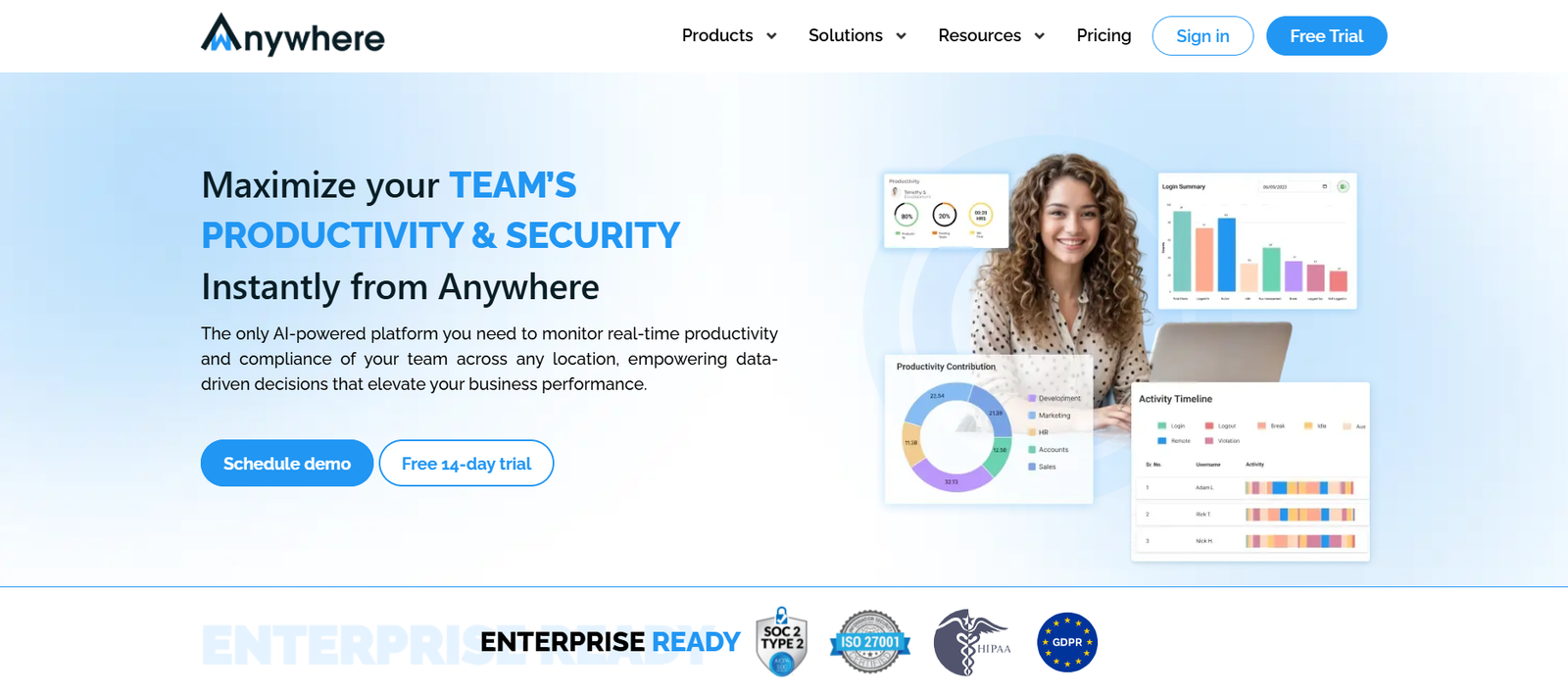
WAnywhere is an AI-powered workforce monitoring and productivity management platform designed for hybrid and remote teams. Built to serve businesses of all sizes, WAnywhere offers a suite of tools for employee time tracking, productivity analytics, behavior monitoring, and compliance enforcement—all from a unified dashboard.
With smart integrations, customizable rules, and real-time insights, WAnywhere enables organizations to manage distributed teams effectively, ensure accountability, and optimize performance—without compromising employee privacy or operational flexibility.
Explore WAnywhere: https://www.wanywhere.com
Features
- AI-Powered Productivity Tracking
Monitor user activity, app usage, active hours, and idle time to understand team performance and work patterns. - Real-Time Monitoring Dashboard
See live status updates of your workforce, including ongoing tasks, time spent on productive vs. unproductive activities, and application usage. - Time Tracking & Timesheets
Automatically track work hours, breaks, and overtime. Export timesheets for payroll and HR integration. - Screenshot Capturing (Optional)
Capture random or scheduled screenshots to ensure transparency and verify task engagement. - User Behavior Analytics
Detect anomalies, inactivity, or unusual behavior with AI-assisted analysis to mitigate insider threats. - Web & App Usage Reports
Generate detailed usage logs by user, department, or team to assess tool utilization and potential distractions. - Geolocation Tracking (Optional)
Monitor where employees are working from with geofencing and IP-based location logging. - Custom Alerts & Rule Engine
Set custom rules for compliance breaches, productivity drop, or security risks and get real-time alerts. - Compliance & Security
GDPR-ready platform with features to help meet ISO, HIPAA, SOC 2, and other regulatory standards. - Integrations
Works with tools like Microsoft Teams, Google Workspace, Slack, Jira, Trello, Zoom, and more.
How It Works
- Onboard Your Team
Install the WAnywhere agent on employee devices or deploy via cloud for remote setup. - Configure Monitoring Policies
Set tracking preferences, activity rules, screenshot frequency, and compliance settings. - Start Tracking and Monitoring
Once live, WAnywhere captures productivity data, application usage, and time logs securely. - Review Dashboards and Reports
Access detailed analytics by individual, team, or organization for productivity and security insights. - Take Action & Improve Efficiency
Use real-time alerts and trends to support coaching, resource allocation, or policy updates.
Use Cases
- Remote Team Management
Monitor distributed teams, track performance, and align expectations across time zones. - IT & Security Teams
Ensure endpoint compliance, detect anomalies, and prevent data leakage or risky behavior. - HR & Operations
Manage attendance, validate timesheets, and ensure policy adherence in hybrid or remote setups. - BPOs & Outsourcing Firms
Monitor outsourced agents or freelance workers for task compliance and productivity benchmarks. - Startups & SMBs
Gain real-time visibility into employee engagement without investing in complex enterprise systems.
Pricing
WAnywhere offers custom pricing based on the number of users, required modules, and deployment type (cloud or on-premise).
Pricing Factors:
- Number of employees or monitored endpoints
- Level of features required (e.g., screenshot monitoring, behavior analysis, integrations)
- Deployment preference (self-hosted vs. cloud)
- Support and SLA requirements
For detailed pricing or a custom quote, visit:
👉 https://www.wanywhere.com/contact
Free trial and demo options are also available on request.
Strengths
- Comprehensive monitoring with AI insights
- Designed for hybrid and remote teams
- Highly customizable monitoring and alerting rules
- Supports compliance across multiple industries
- Integrates with major business and productivity tools
Drawbacks
- Privacy concerns may arise without clear employee consent policies
- Screenshot and behavior tracking may feel intrusive for some organizations
- No self-service pricing or signup visible on the website
- Requires software installation for tracking functionality
Comparison with Other Platforms
Compared to tools like Time Doctor, Teramind, or Hubstaff, WAnywhere stands out with its AI-driven productivity analytics, security compliance focus, and customizable monitoring features.
While Hubstaff and Time Doctor are ideal for time tracking and basic reporting, WAnywhere offers more in-depth features like anomaly detection, geolocation tracking, and behavioral analytics, making it suitable for larger organizations or regulated sectors.
It also competes with Teramind and ActivTrak in security-focused environments, offering a balance between productivity optimization and endpoint monitoring.
Customer Reviews and Testimonials
“WAnywhere gave us complete visibility into our remote teams without overstepping. Productivity improved within weeks.”
– Director of Operations, Fintech Startup
“The alerting system helped us catch non-compliant behavior before it became a risk.”
– IT Security Manager, Healthcare Company
“We now manage outsourced teams across three continents with full transparency.”
– CEO, BPO Services Firm
“Easy to implement and customize. WAnywhere replaced three tools we were using before.”
– Head of HR, SaaS Business
Note: Testimonials are paraphrased based on platform positioning and use case alignment. Verified reviews not yet available on G2 or Capterra.
Conclusion
WAnywhere is a powerful and flexible workforce analytics platform built for the new era of remote and hybrid work. Whether you’re managing compliance, optimizing productivity, or ensuring team accountability, WAnywhere provides the tools and insights needed to operate effectively at scale.
Ideal for enterprise IT, operations, HR, and compliance teams, WAnywhere turns workforce data into a strategic asset—enabling smarter decisions, reduced risks, and higher performance.
Request a demo or learn more at: https://www.wanywhere.com








