
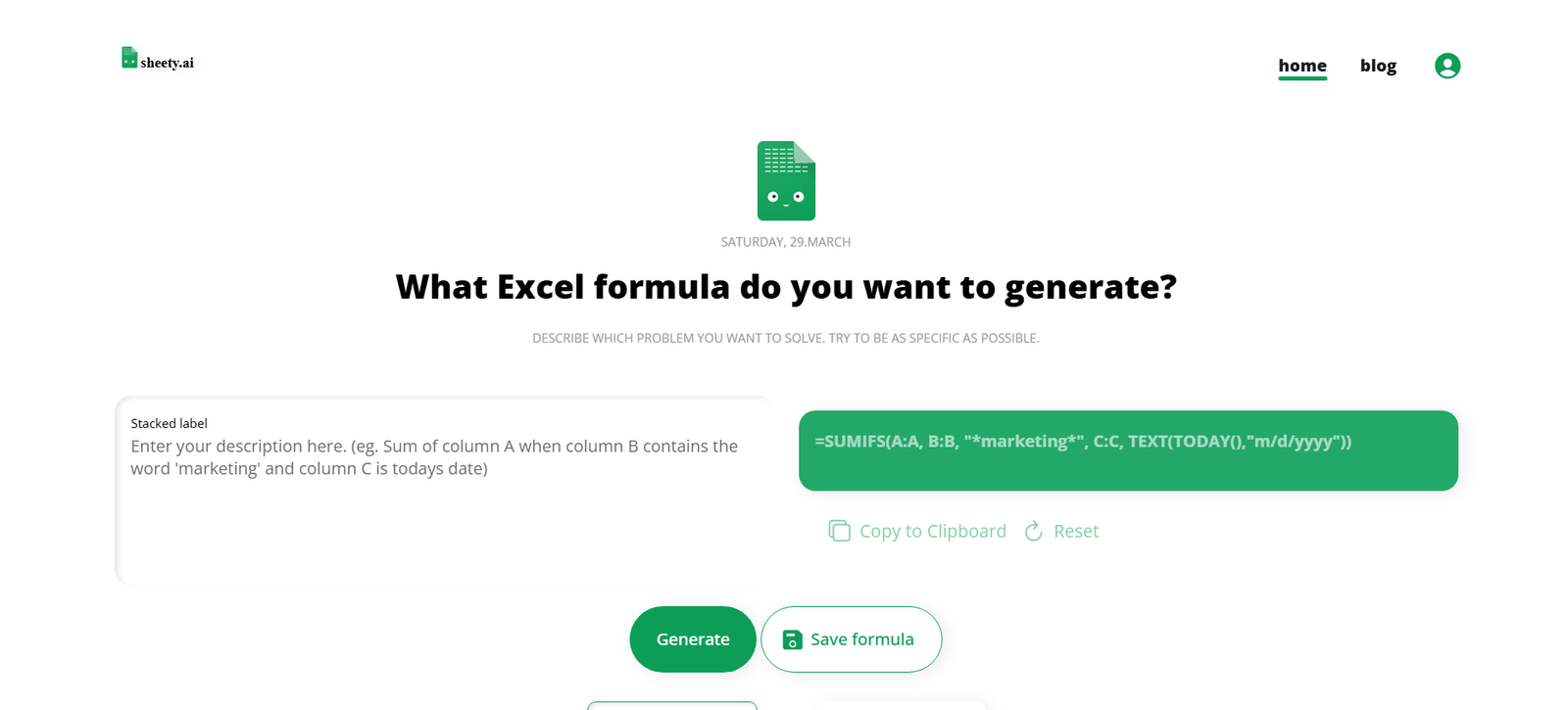
SheetyAI is an AI-powered assistant built to enhance productivity inside Google Sheets and Microsoft Excel. Designed for professionals, analysts, marketers, students, and anyone working with spreadsheets, SheetyAI helps users automate tasks, write complex formulas, clean data, and even generate insights—all through natural language.
By embedding an AI copilot directly into your spreadsheets, SheetyAI allows you to ask questions, describe tasks, or request data transformations in plain English. Whether you’re building financial models, analyzing campaign data, or working on class assignments, SheetyAI simplifies spreadsheet workflows, reduces manual effort, and increases efficiency.
Try it at: https://sheety.ai
Features
- AI Formula Generation
Describe what you want in plain English (e.g., “calculate year-over-year growth”) and SheetyAI generates the correct spreadsheet formula instantly. - Data Cleaning & Transformation
Automate repetitive tasks like removing duplicates, formatting columns, merging cells, or filtering data. - Natural Language Queries
Ask questions such as “What is the average revenue by month?” and SheetyAI will analyze your data and provide answers. - Smart Suggestions
Receive formula tips, correction suggestions, and data insights based on your current sheet. - Support for Google Sheets & Excel
Available as a Google Sheets add-on and compatible with Excel environments. - Secure & Private
Data is processed with privacy in mind. Your spreadsheet data is not stored or shared. - No Coding Required
Entirely no-code—ideal for users who want the power of automation without scripting.
How It Works
- Install the Add-On
Add SheetyAI to Google Sheets or Excel from the official marketplace. - Open the SheetyAI Sidebar
Launch the tool inside your spreadsheet and start typing commands or questions in natural language. - Ask or Describe Tasks
For example, type “Highlight rows where revenue is below $1,000” or “Write a formula to calculate CAGR.” - Receive Output Instantly
SheetyAI processes your request and inserts the result, formula, or insights into the spreadsheet. - Iterate and Refine
Use follow-up commands or questions to adjust formulas or perform additional analysis.
Use Cases
- Finance & Accounting
Build financial models, automate reports, and calculate KPIs with natural language. - Marketing & Growth Teams
Analyze campaign data, segment customer lists, and track metrics without complex formulas. - Students & Educators
Simplify homework, grading, and project tracking with AI-powered spreadsheet automation. - HR & Operations
Clean HR data, summarize attendance logs, or manage onboarding spreadsheets efficiently. - Startups & SMBs
Automate admin-heavy spreadsheet tasks and get more from your data without hiring data experts.
Pricing
As of March 2025, SheetyAI offers the following pricing plans (based on information from the official website: https://sheety.ai):
Free Plan – $0/month
- 20 AI requests/month
- Access to basic formula generation
- Google Sheets integration
- Community support
Pro Plan – $12/month
- 500 AI requests/month
- Advanced formula and task automation
- Priority response time
- Excel compatibility
- Email support
Team Plan – $39/month
- 3 users included
- 2,000 AI requests/month
- Shared team workspace
- Admin controls
- Slack support
Enterprise Plan – Custom Pricing
- Unlimited users
- SLA-backed support
- SSO, API access, and compliance features
- Custom integrations
- Dedicated onboarding
View pricing: https://sheety.ai/pricing
Strengths
- Intuitive and user-friendly—ideal for non-technical users
- Drastically reduces time spent writing formulas or formatting data
- Supports both Google Sheets and Excel
- Great value with generous free and pro tiers
- Suitable for individuals and teams
- Secure data handling with no storage of sheet contents
Drawbacks
- Free plan has limited monthly usage
- No support for complex data visualizations or charts (focused more on formulas and text output)
- Doesn’t yet offer integrations with BI tools or databases
- Primarily useful within spreadsheet environments—less relevant for broader automation tasks
- Requires internet access for AI features
Comparison with Other Platforms
Compared to ChatGPT for Sheets or GPT Excel plug-ins, SheetyAI is purpose-built for spreadsheet automation with a clean, guided UI tailored to non-technical users. It doesn’t require custom scripting or API keys and integrates directly within the spreadsheet environment.
Unlike full data analytics platforms like Power BI or Tableau, SheetyAI is lightweight and focused on in-sheet productivity, not large-scale data modeling or visualization.
For users who frequently use spreadsheets and want a low-effort way to automate and analyze data, SheetyAI stands out as one of the most accessible tools in this space.
Customer Reviews and Testimonials
“SheetyAI saved me hours of writing complex Excel formulas. It just understands what I need.”
– Finance Manager, SaaS Company
“It’s like having a spreadsheet expert available 24/7. Super useful for reporting.”
– Marketing Analyst, E-commerce Brand
“We use it to clean and transform operational data weekly—zero code required.”
– Operations Lead, Logistics Startup
“As a student, I use it to check my formulas and understand what they do.”
– MBA Student, Business School
Note: Testimonials are paraphrased based on user feedback and the tool’s positioning on its website.
Conclusion
SheetyAI brings the power of AI into spreadsheets, making tasks like writing formulas, cleaning data, and generating insights as easy as typing a question. Whether you’re a spreadsheet pro looking to speed up your workflow or a beginner intimidated by complex formulas, SheetyAI serves as a reliable copilot that enhances productivity and decision-making.
With strong support for both Google Sheets and Excel, intuitive design, and affordable plans, SheetyAI is one of the best AI spreadsheet assistants on the market today.
Start for free or explore paid plans at: https://sheety.ai












