In today’s fast-paced world, efficient note-taking and organization are essential for students, professionals, and teams. Traditional methods of writing and managing notes can be time-consuming and disorganized, making it difficult to retrieve important information when needed.
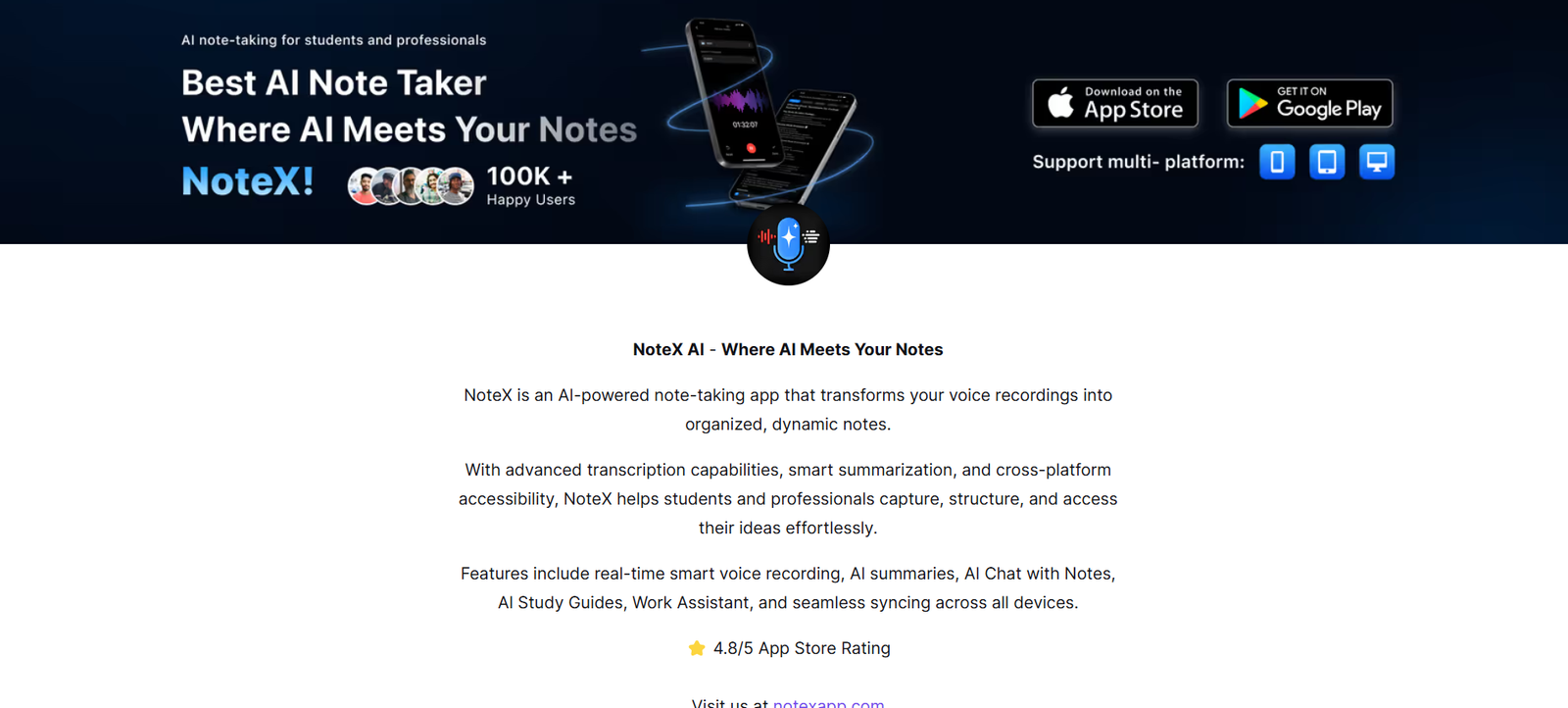
Notex is an AI-powered note-taking and productivity app designed to help users capture, summarize, and organize notes effortlessly. Whether you’re a student, researcher, writer, or business professional, Notex provides smart AI-assisted note-taking features that streamline productivity.
This article explores Notex’s features, how it works, pricing, use cases, strengths, and drawbacks, while also comparing it to other note-taking apps and analyzing customer feedback.
What is Notex?
Notex is an AI-driven digital note-taking tool that enables users to take notes, summarize content, extract key points, and organize information efficiently. By leveraging machine learning and natural language processing (NLP), Notex helps users quickly capture and refine their notes, making information more accessible and actionable.
Designed for students, professionals, and teams, Notex enhances the note-taking process by offering AI-generated summaries, keyword extraction, and advanced organization features.
Key Features of Notex
AI-Powered Note Summarization
Automatically condenses long-form text into concise, structured summaries for quick review.
Smart Content Organization
Uses AI to categorize, tag, and sort notes, making them easier to retrieve.
Voice-to-Text Transcription
Converts spoken words into digital notes, ideal for lectures, meetings, and brainstorming sessions.
Keyword Extraction
Highlights essential keywords and phrases to help users focus on the most relevant information.
AI-Generated Flashcards
Creates study-ready flashcards from notes for efficient learning and memorization.
Integration with Productivity Tools
Syncs with Google Drive, Notion, Evernote, and other apps for seamless workflow integration.
Multi-Device Syncing
Ensures notes are accessible across desktop, mobile, and cloud platforms.
Offline Note-Taking
Allows users to take and edit notes without an internet connection, syncing later when online.
How Notex Works
Step 1: Create or Import Notes
Users can type notes manually, paste text, or import content from documents, emails, or web pages.
Step 2: AI-Powered Processing
The AI analyzes and summarizes content, extracting key insights and organizing information.
Step 3: Organize and Tag Notes
Users can add tags, categories, and labels for easy retrieval.
Step 4: Review and Share
Summarized notes can be reviewed, edited, exported, or shared with colleagues or study groups.
Step 5: Sync and Access Anywhere
All notes are automatically synced across devices for seamless accessibility.
Use Cases of Notex
Students and Researchers
- Summarizes lecture notes, textbooks, and research papers for faster review.
- Converts spoken lectures into text for easy reference.
Business Professionals and Teams
- Captures meeting notes and key action points for better productivity.
- Syncs notes with project management and collaboration tools.
Writers and Content Creators
- Helps organize ideas, research, and drafts for articles and reports.
- Extracts key themes and topics from research material.
Educators and Trainers
- Creates structured lesson notes and study materials for students.
- Generates AI-powered flashcards for effective learning.
Journalists and Analysts
- Quickly summarizes interviews, articles, and reports.
- Extracts important facts and quotes for easy reference.
Pricing Plans
Notex offers flexible pricing plans to suit different user needs.
- Free Plan – Basic note-taking and summarization with limited AI processing.
- Pro Plan – Advanced AI-powered summaries, voice transcription, and integration features.
- Team Plan – Collaborative note-sharing, cloud storage, and enterprise solutions.
For the latest pricing details, visit the Notex official website.
Strengths of Notex
AI-Powered Summarization and Organization
Automates content summarization and categorization, making note-taking more efficient.
Multi-Device Accessibility
Syncs across mobile, desktop, and cloud platforms for convenience.
Smart Keyword Extraction
Helps users quickly find important information in their notes.
Integration with Popular Tools
Works with Google Drive, Notion, Evernote, and other productivity apps.
Offline Functionality
Allows note-taking and editing without an internet connection, syncing later when online.
Drawbacks of Notex
Limited Free Plan
Some AI-powered features are only available in paid plans.
AI Summaries May Require Manual Edits
AI-generated summaries may need slight adjustments for accuracy.
Internet Dependency for Syncing
Requires an internet connection for cloud-based synchronization.
Comparison with Other AI Note-Taking Tools
Notex competes with Notion, Evernote, and Obsidian in the note-taking space.
- Notion offers database-style organization, while Notex focuses more on AI-powered summarization and keyword extraction.
- Evernote provides extensive note storage and tagging, whereas Notex enhances note efficiency with AI-driven insights.
- Obsidian is preferred for knowledge management, while Notex is optimized for quick AI-generated summaries and smart note organization.
Overall, Notex stands out for its AI-driven automation, smart organization, and seamless note-sharing capabilities.
Customer Reviews and Testimonials
Positive Reviews
- “The AI-powered summaries save me so much time when reviewing notes.” – University student
- “I love how it extracts keywords and organizes my notes automatically.” – Business professional
- “A must-have for researchers—quick, efficient, and easy to use.” – Academic researcher
Negative Reviews
- “The free plan is quite limited; I wish it had more AI features.”
- “Some AI-generated summaries need manual tweaking for better accuracy.”
Overall, users appreciate Notex’s AI-powered automation, ease of organization, and seamless integrations, but some suggest expanding free features and improving AI accuracy.
Conclusion
Notex is a powerful AI-driven note-taking and productivity tool designed to help users capture, summarize, and organize information efficiently. With AI-powered content extraction, smart organization, and multi-device syncing, it is an excellent choice for students, professionals, and teams looking to streamline their workflow.
While some advanced features require a paid plan, its AI-driven efficiency and seamless integration with productivity tools make it a valuable addition for anyone seeking a smarter way to take and manage notes.
For more details, visit Notex’s official website and explore its AI-powered note-taking features today.